

Skip to content
All articles
Introduction··1 min read

Website Administration Panel

Below we will show how to access Administration Web Panel for your newly deployed website, in a few quick and easy steps.

Step 1. Please use the administrator credentials and URL as per provided wiki link on nexus.thrinacia.com to log into your website as depicted in a screenshot below.

NOTE: If you don’t have the administrator credentials (username/password) and the login URL for your website then please contact support@litetuition.com and come back to this tutorial when done.
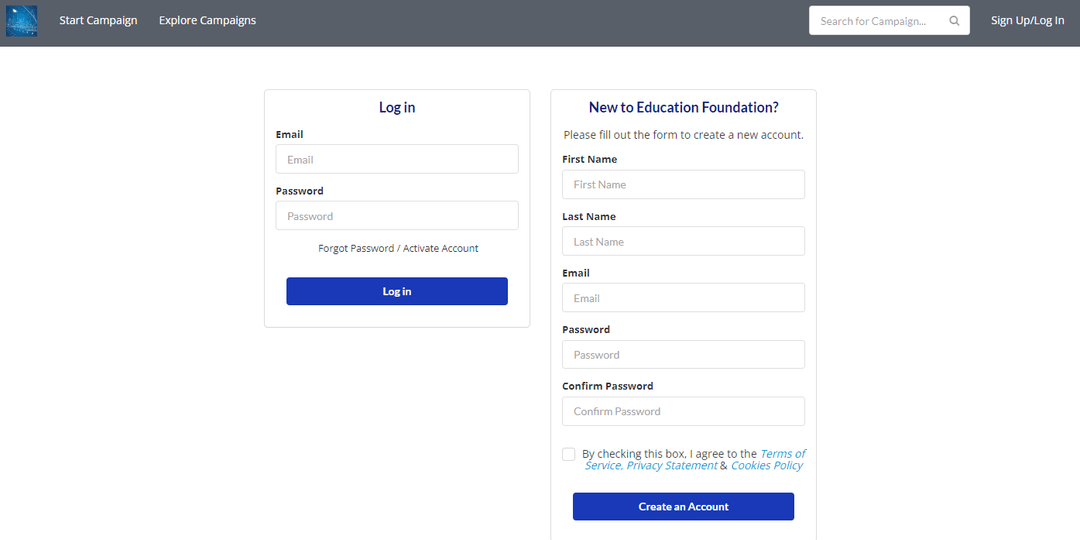
Step 2. Once you have successfully logged into the website please click onto the person icon in the top right hand corner. The menu will open called “My Dashboards” with menu link called “Administration”. Please click on the “Administration” link as depicted in the screenshot below.

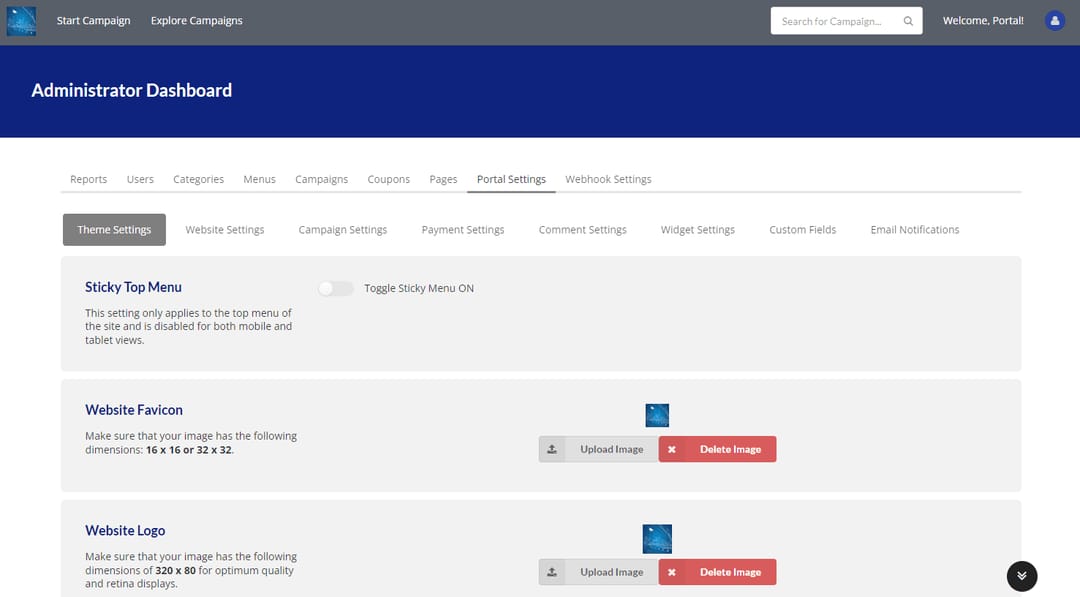
Step 3. You will now see the dashboard interface as depicted in the screenshot below.
Keep reading

Fundraising Tips·3 min read

Mastering the Art of Crowdfunding for Education

Crowdfunding has revolutionized the way individuals raise funds for various causes, and education is no exception. With the rise of innovative platforms like Lite Tuition, students now have a powerful tool to make their…

Read
Success Tips·3 min read

Navigating the College Search Process: A Parent’s Guide

Introduction: The college search process can be an overwhelming and exciting time for both parents and students. As a parent, it’s essential to provide guidance and support while empowering your child to make informed…

Read

Your education, funded by people who believe in you.

Start a campaign in minutes — it's free, and funds go straight to your school. No loans, no debt.