
Overriding Stripe and operating portal without any payment processing

This blog post will focus on switching portal to operate without any payment processing being done. Note that normally Stripe (when configured) handles all online payment processing for the portal.
Overriding to process manually is useful if you want for example to test the system out for the first time without seeing “Payment processing not setup” message or if you want to use the portal for manual (offline transactions) only.
To get started first go into Administration Panel -> Payment Settings. Then navigate to the option called “Payment Processing” and toggle it off as shown below and click “Save Payment Settings” button.
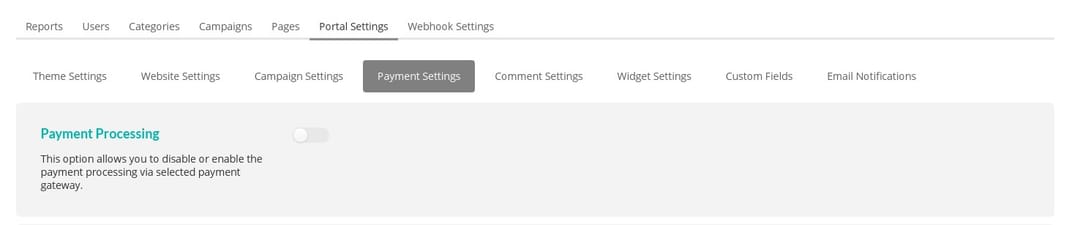
This will disable all payment processing. Now you should be able to create campaigns for testing or campaigns where you process online contributions or transactions in a different way.