

In this tutorial, we will show you how to enable the Advanced CrowdFunding Widget for your website portal so that you can offer it to the users of your website.
Advanced CrowdFunding Widget allows the website campaign creators to copy and paste small HTML code snippet anywhere on their website and host the campaign directly on that website.
First navigate to your CrowdFunding Website Administration Panel and click on Portal Settings. Then follow the steps below.
Step 1. Click on Website Settings: Enable the Widget
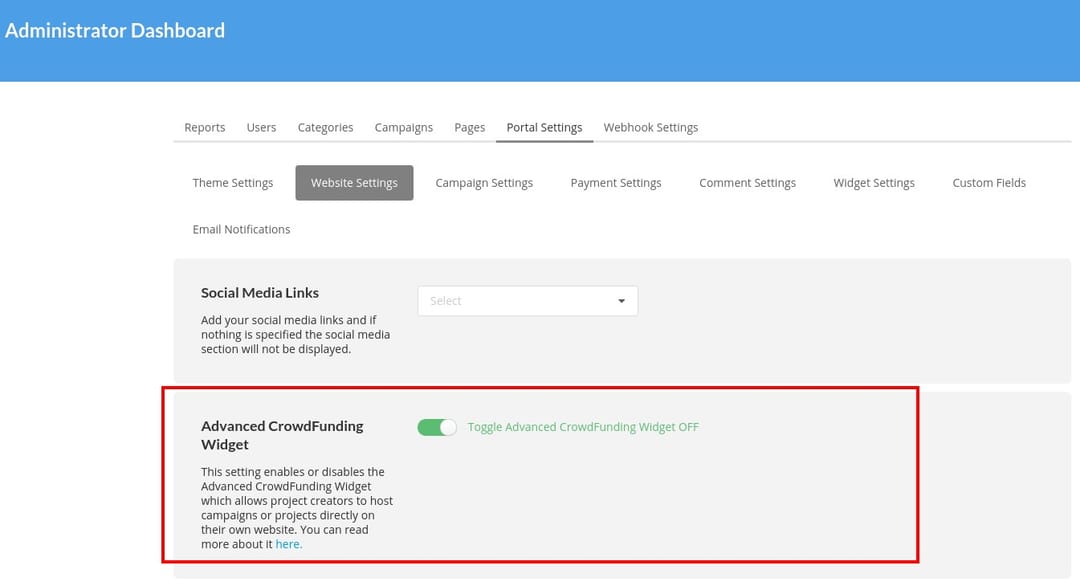
IMPORTANT: Make sure to have this setting toggled ON
Step 2. Campaign Creation: Widget Step will be added
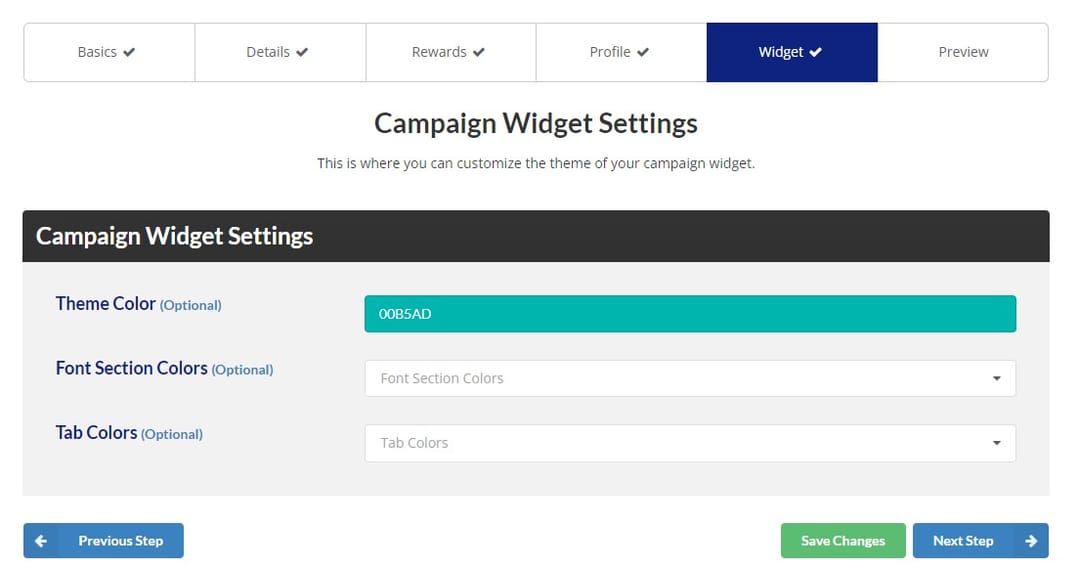
Note the Widget tab that is added. Here you can adjust the general theme and font colors for the widget.
Step 3. Campaign Preview
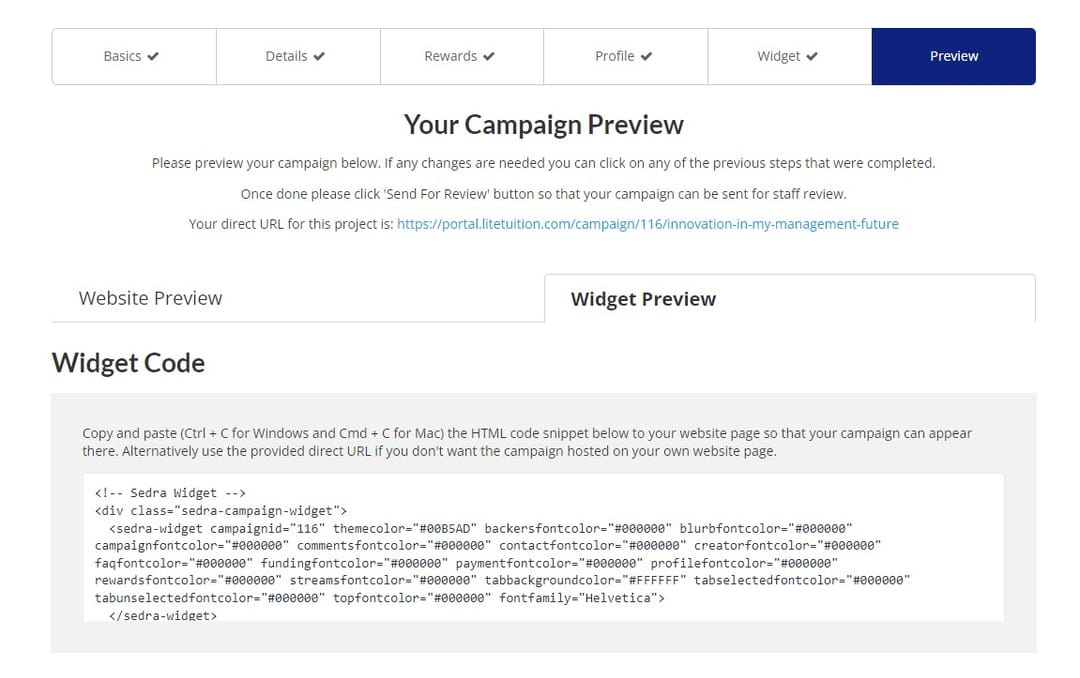
A new tab for the previews will be added. You can switch between the normal campaign preview ( Website Preview ) and the new widget preview ( Widget Preview ).
To embed the widget on any website, just follow the instructions and copy/paste the small code snippet to your target website where you want the widget to show.